

Introduction: If the Bots Can’t Read It, Nothing Else Counts
Most conversations about search visibility start with content, links and, lately, AI. All of that sits on top of a simpler question that’s easy to skip: can the machines actually reach your pages, and once they do, will they keep them?
If the answer is no, nothing else you do gets a chance. A page Google can’t crawl won’t rank. A page that’s crawled but never indexed won’t appear in search results, AI Overviews or AI Mode. And a page that relies on JavaScript to show its content can look perfect to your customers while appearing close to blank to the crawlers behind ChatGPT, Claude and Perplexity.
The frustrating part is that these problems are usually invisible from the outside. The site loads, the pages look fine, and nobody notices until enquiries dip or a competitor starts turning up in AI answers instead of you.
This is the second supporting guide in our Technical SEO series, following Core Web Vitals in 2027, and it goes deeper into one section of The Complete Technical SEO Checklist for 2027. It’s written for business owners and marketing managers who want to check their own site properly, or know exactly what to ask their developer. We’ll cover:
- The difference between crawling and indexing, in plain English
- Why both matter more now that AI tools are answering so many searches
- The bots that visit your site, and which ones you actually want
- The crawlability and indexability blockers we find most often in audits
- A step-by-step self-check you can run with free tools
Crawling vs Indexing: What’s the Difference?
Crawling and indexing are two separate steps, and a page can fail at either one.
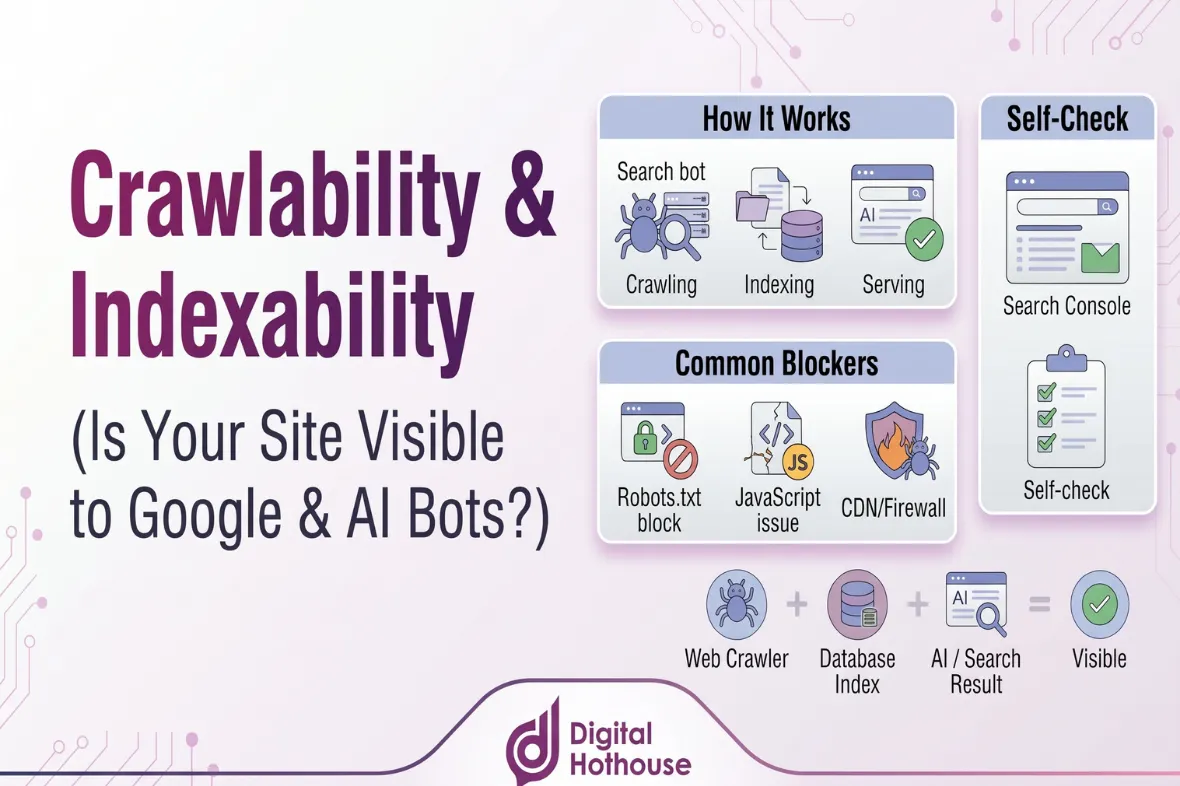
Crawling is a bot visiting a page and downloading what’s there. Indexing is the search engine deciding whether to store that page so it can be shown in results. Google’s in-depth guide to how Search works describes three stages, crawling, indexing and serving, and is clear that not every page makes it through each one.
A library is a useful way to picture it. Crawling is the librarian finding the book and reading it. Indexing is the decision to put it on the shelf and add it to the catalogue. Serving is handing it to someone who asks the right question. A book that never makes it into the catalogue can’t be recommended, however good it is.
This is the journey a page takes from your server to a search result:
- Google finds the URL, usually through a link from a page it already knows or through your XML sitemap.
- Googlebot requests the page. Your robots.txt file needs to allow the visit, and your server needs to respond with a working page.
- Google runs the page’s JavaScript in a recent version of Chrome to see what a visitor would see. Most AI crawlers skip this step entirely, which we’ll come back to.
- Google analyses the content, checks whether it duplicates another page, picks the version it treats as the main (canonical) one, and decides whether it’s worth storing.
- When someone searches, Google pulls the most relevant pages from its index. AI Overviews and AI Mode draw on that same index.
Two points are worth underlining. First, Google states that it can’t guarantee it will crawl, index or serve any page, even when everything is set up correctly. Second, the steps depend on each other in a way that catches people out. If a page is blocked at the crawling stage, Google never reads anything on the page itself, including an instruction not to index it. We’ll come to why that matters below.
So, in short: crawlability is whether bots can reach and read your pages, and indexability is whether, once read, those pages qualify to be stored and shown. You need both.
Why This Matters More in the Age of AI Search
It would be easy to assume that AI search has made the technical basics less important. In practice, it has raised the stakes, for two reasons.
Google’s AI features run on the same index
Google’s guidance on AI features and your website is unusually direct. To appear as a supporting link in AI Overviews or AI Mode, a page must be indexed and eligible to be shown in Google Search with a snippet. In Google’s words, “There are no additional technical requirements.”
That cuts both ways. There’s no special AI file to add. But a page with an indexing problem is missing from AI Overviews and AI Mode as well as from the traditional results. As we explained in How Google AI Overviews Work, being indexed is the entry ticket, not a guarantee of being cited.
There’s also a newer setting to know about. In 2026, Google added a Search generative AI control to Search Console, which lets a site owner include or exclude their site from AI Overviews, AI Mode and generative AI features in Discover. Inclusion is the default, and Google’s AI optimisation guide now lists being included as a requirement for appearing in those features. It’s worth a quick look to make sure nobody has changed it without realising what it does.
AI platforms send their own crawlers, and they’re less forgiving
ChatGPT, Claude and Perplexity don’t rely on Google’s index for their own search features. They send their own bots, and those bots behave very differently from Googlebot.
The biggest difference is JavaScript. Research by Vercel and MERJ into AI crawler traffic found that “none of the major AI crawlers currently render JavaScript”, including OpenAI’s crawlers, ClaudeBot and PerplexityBot. They read the HTML your server sends and move on. If your text, products or prices only appear after a script runs in the browser, those crawlers may see little or nothing. The same research found that Google’s Gemini uses Googlebot’s infrastructure and does render JavaScript.
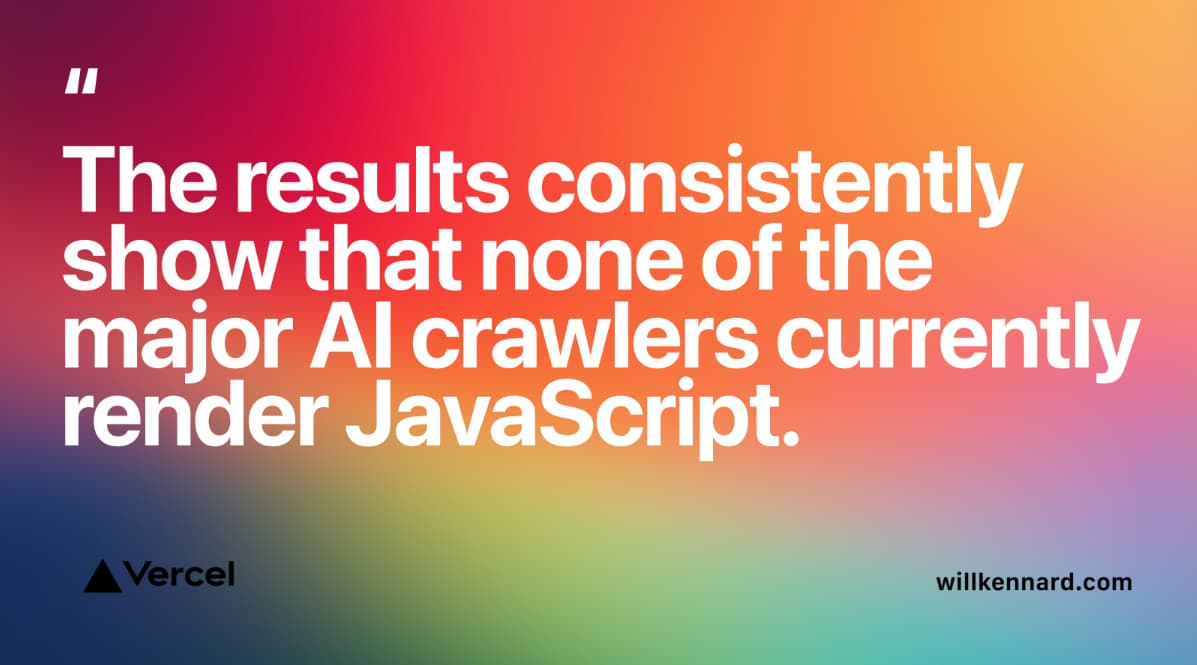
That study was published in December 2024, which is a long time in this space, so treat it as the best large-scale evidence available rather than the final word. It does line up with what we heard at BrightonSEO 2026, and with what we see on client sites.
The same research found that the crawlers for ChatGPT and Claude spent around a third of their requests on pages that returned a “not found” error, against roughly 8% for Googlebot. These bots are younger and less refined. Broken links, messy redirects and an out-of-date sitemap make their job harder, and they’re less likely than Google to work around the mess.
Meet the Bots: Who’s Actually Crawling Your Site?
The big AI companies now run several bots each, split by job. That matters, because blocking the wrong one can remove you from AI answers without anyone noticing, and leaving the wrong one open may not match how you feel about your content being used to train AI models.
Broadly, they fall into three groups:
- Search bots build an index so the platform can find and cite your pages in its answers. For most businesses, these are the ones you want to let in.
- Training bots collect content that may be used to train future AI models. OpenAI and Anthropic both document these separately from their search bots, so blocking one doesn’t block the other. Whether to allow them is a business decision about your content.
- User-triggered fetchers visit a page when a person asks the AI tool something that needs it. Because a human started the request, some platforms say robots.txt rules may not apply.
These are the main ones to know, according to each company’s own documentation:
| Company | Bot | What it does | If you block it |
| Googlebot | Crawls for Google Search, including AI Overviews and AI Mode | You drop out of Google Search altogether | |
| Google-Extended | Not a separate crawler but a robots.txt token that controls use of your content in Gemini training and grounding | Google says it doesn’t affect inclusion or ranking in Google Search | |
| OpenAI | OAI-SearchBot | Indexes pages for ChatGPT search | Your pages won’t be shown in ChatGPT search answers |
| OpenAI | GPTBot | Collects content that may be used to train OpenAI’s models | Signals that your content shouldn’t be used for training |
| OpenAI | ChatGPT-User | Visits pages when a ChatGPT user’s request needs it | OpenAI says robots.txt rules may not apply |
| Anthropic | Claude-SearchBot | Indexes content to improve Claude’s search results | May reduce your visibility and accuracy in Claude’s answers |
| Anthropic | ClaudeBot | Collects content that could contribute to model training | Your future content should be excluded from training |
| Anthropic | Claude-User | Fetches pages when a Claude user asks a question | May reduce your visibility in user-directed searches |
| Perplexity | PerplexityBot | Builds Perplexity’s search index (Perplexity says it isn’t used for training) | You’re no longer a candidate source in Perplexity search |
| Perplexity | Perplexity-User | Fetches pages when a Perplexity user asks a question | Perplexity says it generally ignores robots.txt |
Sources: Google’s list of common crawlers, OpenAI’s crawler documentation, Anthropic’s crawler documentation and Perplexity’s crawler documentation. These pages change often. OpenAI’s, for example, has been revised several times in the past year, so check them before you change anything.
The practical upshot, which we set out in the Technical SEO Checklist, is to treat these as separate decisions. Allow the standard search engines. Allow the AI search bots if you want to appear in AI answers. Then decide on the training bots deliberately, rather than by default. Both OpenAI and Perplexity say robots.txt changes can take up to a day or so to be picked up.
Anthropic has also started honouring a newer, general “no AI training” signal from 30 October 2026, based on draft work at the IETF, the body that sets many internet standards. Where your robots.txt names ClaudeBot directly, Anthropic says that rule takes priority. Standards here are still settling, so expect this area to keep moving.
Paul’s take: “When we look at a new client’s robots.txt, it’s surprisingly common to find a blanket ‘block the AI bots’ rule. Usually someone added it a couple of years ago for perfectly understandable reasons, and nobody has looked at it since. In the meantime, the bots have split into search and training, and that one rule may now be keeping the business out of the AI answers its customers are reading.“
The Crawlability Blockers We Find Most Often
These are the issues that stop bots from reaching or reading your pages in the first place. Almost all of them are accidental, and several are invisible unless you go looking.
A robots.txt rule that blocks more than intended
Your robots.txt file sits at the root of your domain and tells crawlers which parts of the site they may visit. One wrong line can shut out a whole site. The usual culprits are:
- A leftover from the build. A “Disallow: /” rule written to keep a staging site private, then copied across at launch.
- A “hide from search engines” setting in the CMS that was switched on during development and never switched off.
- A blanket AI block added a couple of years ago, before the AI companies split their bots by purpose.
- Blocked CSS or JavaScript folders, which stop Google rendering the page the way a visitor sees it.
Your CDN or firewall disagrees with your robots.txt
This is the one that catches out even careful site owners. Plenty of websites sit behind Cloudflare or a similar service without the owner knowing, because a developer or host set it up. Those services can block bots before they ever reach your robots.txt, and when the two disagree, the firewall wins.
Cloudflare has changed its defaults twice in two years. In July 2025, it began blocking known AI crawlers by default on new domains unless the owner chose to allow them. In July 2026, it split AI traffic into Search, Agent and Training categories, with new defaults from 15 September 2026: on pages that show ads, new domains have Training and Agent bots blocked and Search bots allowed.
There’s a detail in that announcement worth reading twice. Cloudflare says crawlers that do both search and training are judged by the most restrictive rule that applies, and it names Googlebot, Applebot and Bingbot among them. In other words, a setting meant to block AI training could block Googlebot too, unless you opt out. Security plugins and hosting firewalls can cause similar problems on a smaller scale.
Content that only appears after JavaScript runs
Google can render JavaScript, although it adds a step and some risk. As covered above, most AI crawlers don’t render it at all. If your key content, navigation or product details are only built in the browser, there’s a real chance AI platforms can’t see them.
At BrightonSEO 2026, Will Kennard of Vercel, Judith Lewis and Daniel Liddle each flagged this from a different angle, with Will focusing on websites built quickly with AI tools, which often produce JavaScript-heavy pages by default.
Paul’s take: “This came up in multiple sessions and roundtables, not just as a technical problem but as a strategic vulnerability. Businesses that moved to JavaScript-heavy frameworks in the last few years for perfectly good UX reasons now have a hidden technical debt in terms of AI visibility. The audit is the first step, but the remediation conversation, whether to server-side render, pre-render, or restructure the architecture, is one that needs to happen between the development team and the SEO team together, not in isolation.”
Pages nobody links to
Bots mainly find pages by following links. A page with no internal links pointing to it, sometimes called an orphan page, may only be found through your sitemap, if at all. The way links are built matters too. Google’s link best practices explain that it can generally only follow a link written as a standard HTML anchor with an href attribute. Menus and buttons that move people around using JavaScript click events alone may work for visitors but give crawlers nowhere to go.
Slow, erroring or very heavy pages
Google’s crawlers deliberately slow down when a site struggles, and Google’s guide to how Search works notes that server errors are treated as a signal to back off. A site that regularly throws errors or responds slowly gets crawled less.
Page size has also become a talking point. In March 2026, Google’s Inside Googlebot post confirmed that Googlebot currently fetches up to 2MB of any individual URL, excluding PDFs, and ignores anything beyond that. The vast majority of pages are nowhere near the limit, but very long pages built with heavy page builders or large amounts of inline code can approach it. If important content sits at the bottom of a very large HTML file, Google may never see it.
Finally, redirect chains and broken links waste every crawler’s time, and as the Vercel research showed, the AI crawlers waste far more of it than Google does.

The Indexability Blockers We Find Most Often
Getting crawled is only half the job. These are the issues that stop a page being stored or shown once a bot has read it.
A stray noindex
A noindex rule, placed either in a meta robots tag in the page’s code or in an X-Robots-Tag sent by the server, tells Google not to index a page. That’s useful for thank-you pages and internal search results. It’s a disaster when it lands somewhere it shouldn’t. The usual causes are a staging setting carried over at launch, an SEO plugin setting applied to a whole section (every product or every blog category, say), or a template that was copied from a page that was never meant to rank.
Paul’s take: “The one we see most after a website rebuild is a noindex left over from the staging site. Everything looks fine at launch, the client is happy with the new design, and then a few weeks later the enquiries start tailing off. It’s a five-minute check that can save months of lost visibility, and it should be on every launch checklist.”
robots.txt and noindex working against each other
This is the most common misunderstanding we come across. Google’s introduction to robots.txt states that robots.txt “is not a mechanism for keeping a web page out of Google”. A page blocked in robots.txt can still be indexed if other sites link to it. It just appears without a description, because Google hasn’t been allowed to read it.
The trap is that people often add a noindex and a robots.txt block to the same page, to be doubly sure. But if crawling is blocked, Google never sees the noindex. So if you want a page out of Google’s results, allow it to be crawled and use noindex. If it’s genuinely private, password-protect it.
Canonical confusion
A canonical tag tells Google which version of a page is the main one when several versions exist. Common problems include canonicals that all point to the homepage, canonicals pointing to a staging or old domain, and the same page being reachable at several addresses (with and without www, with tracking parameters, or through filtered category URLs). Google treats your canonical as a signal rather than a command, and its guide to consolidating duplicate URLs explains how it chooses. If your signals disagree, Google may pick a different page from the one you wanted to rank.
Thin, duplicate or low-value pages
Sometimes Google crawls a page perfectly well and simply decides not to keep it. Search Console’s Page indexing report labels this “Crawled – currently not indexed”, and Google’s help says the page may or may not be indexed in the future. In our experience, the cause is usually that the page adds little that isn’t already covered elsewhere, on your site or someone else’s. Near-identical location pages, thin tag and archive pages, and product variants with copied descriptions are frequent examples. The fix is to improve the page, merge it with a stronger one, or remove it, rather than repeatedly asking Google to index it.
Pages that say one thing and return another
Every page sends a status code alongside its content. A working page should return 200, a page that’s gone should return 404 or 410, and a page that’s moved should redirect. Problems start when they don’t match: an “out of stock” or “no results” page that returns 200 with almost nothing on it (Google may label this a soft 404), or an error page that tells Google everything is fine. Google’s own advice on succeeding in AI search lists returning a 200 status code among the basics for being considered at all.
Snippet controls that also switch off AI features
Because Google requires a page to be eligible for a snippet before it can appear in AI Overviews or AI Mode, a nosnippet rule or a max-snippet limit of zero quietly rules a page out of both. These are occasionally added on purpose for legal or licensing reasons, and occasionally by accident through a plugin. Either way, it’s worth knowing they’re there.
How to Check Your Own Site: A Step-by-Step Self-Check
You don’t need paid software for a first pass. Google Search Console, your browser and a short conversation with your developer or host will cover most of it.
Step 1: Start with the Page indexing report
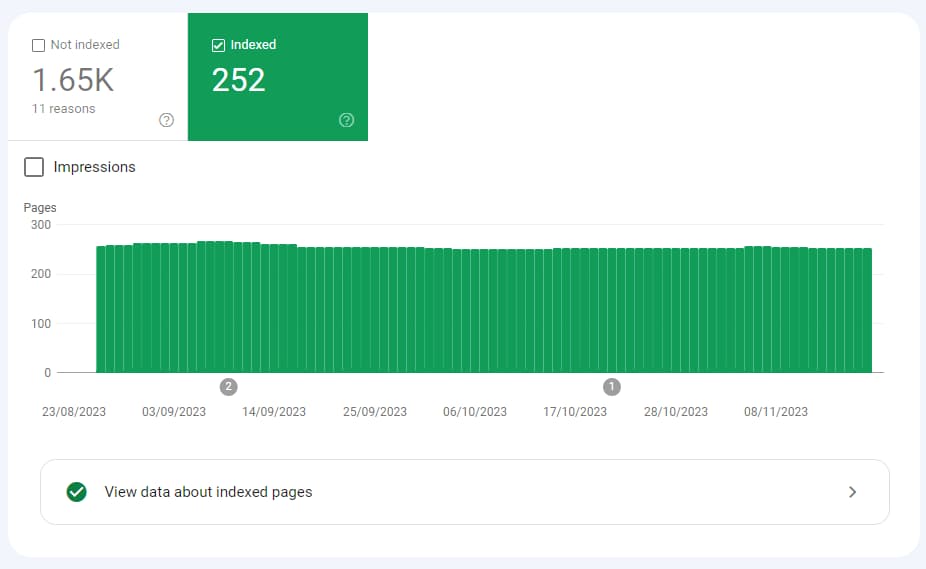
In Search Console, go to Indexing, then Pages. This is the Page indexing report, which older guides call the Index Coverage report. It shows how many of your URLs are indexed, how many aren’t, and why.
Don’t panic at a large “not indexed” number. Redirects, deliberately excluded pages and duplicates all count towards it, and many of those are fine. What you’re looking for is pages you’d want customers to find. It’s also worth checking when the data was last updated, as the report has lagged behind at times.
These are the reasons you’re most likely to see, and what each usually means:
| Reason shown | What it means | What to do |
| Excluded by ‘noindex’ tag | The page has told Google not to index it | If it should rank, remove the noindex |
| Blocked by robots.txt | Google isn’t allowed to crawl the page | If it should rank, remove the rule. If it shouldn’t, use noindex instead |
| Crawled – currently not indexed | Google read the page and chose not to keep it, for now | Improve, merge or remove the page |
| Discovered – currently not indexed | Google knows the URL exists but hasn’t crawled it yet | Strengthen internal links, check your sitemap and server speed |
| Duplicate, Google chose different canonical than user | Google picked another URL as the main version | Check your canonical tags and internal links point to the same page |
| Soft 404 | The page looks like an error or empty page but says it’s fine | Return a proper 404 or 410, or add real content |
| Not found (404) | The page doesn’t exist | Redirect it if it had links or traffic. Otherwise it’s fine |
Step 2: Inspect your most important pages
Pick your ten or so most important pages: homepage, main service or category pages, and your best-selling products. Paste each into the URL Inspection tool at the top of Search Console.
By default it shows the version Google last indexed, not the live page, so click Test Live URL as well. Check whether the page is on Google, whether crawling and indexing are allowed, and whether the canonical Google selected matches the one you declared. Then view the tested page to see the HTML and screenshot Google produced. If content is missing there, it’s missing for Google.
Step 3: Read your robots.txt
Type your domain followed by /robots.txt into a browser. Look for a “Disallow: /” under “User-agent: *”, any rules naming AI bots, blocked folders that hold CSS or JavaScript, and a line pointing to your sitemap. Search Console’s robots.txt report, under Settings, shows the version Google last fetched and any errors it found.
Step 4: Check your CDN and firewall settings
Ask your developer or host two questions. Is the site behind Cloudflare or a similar service? And if so, what are the bot and AI crawler settings? If you’re on Cloudflare, check the AI crawler controls in your security settings against the decisions you made in your robots.txt.
Step 5: Look at a page the way an AI crawler does
Open one of your key pages, right-click and choose View Page Source. That’s close to what an AI crawler receives. Use your browser’s find function to search for a sentence from the main content. If you can’t find it, the content is probably being built by JavaScript, and AI crawlers are unlikely to see it. Turning JavaScript off in your browser settings and reloading the page gives you a similar view.
Step 6: Check your XML sitemap
Your sitemap is usually at /sitemap.xml or /sitemap_index.xml. Make sure it’s submitted in Search Console’s Sitemaps report, and that it lists only the pages you want indexed: live pages that return 200, aren’t redirected and aren’t noindexed. Google’s sitemaps overview covers the basics. A sitemap helps Google find pages. It doesn’t guarantee they’ll be indexed.
Step 7: Confirm your Search generative AI setting
In Search Console, go to Settings and look for the Search generative AI control. Unless you’ve made a deliberate decision to opt out, it should be set to include your site.
Step 8: Look at your server logs, if you can
Your server logs record every visit from every bot, including which pages they requested and what response they got. Most hosts can provide them on request. They’re the only way to see whether GPTBot, ClaudeBot or PerplexityBot are actually reaching your important pages, or hitting errors and blocks instead. Bear in mind that anyone can pretend to be a well-known bot, so OpenAI, Anthropic and Perplexity publish lists of the IP addresses their crawlers use, which you or your developer can check against.
If you find something you can’t explain, or the fix involves your site’s code, hosting, CDN or rendering setup, that’s the point to bring in help. These are rarely difficult fixes, but they’re easy to get wrong in a way that makes things worse.
What BrightonSEO 2026 Told Us About Crawl Access
Crawlability ran through many of the technical sessions Paul and I attended at BrightonSEO 2026, and we covered them in detail in our recap, Technical SEO in the Age of AI. Four points have held up particularly well in the months since:
- JavaScript rendering is the top AI visibility risk. Will Kennard of Vercel, Judith Lewis and Daniel Liddle all flagged it as the highest-priority technical issue for businesses that care about AI discoverability.
- Every AI crawler behaves differently. Janaina Barreto-Romero of Oncrawl showed that GPTBot, Anthropic’s crawlers and Perplexity’s crawler each prioritise different pages, crawl to different depths and visit at different frequencies, and that server logs are the only reliable way to see it.
- Page size has a hard limit. Jonathan Roberts flagged Google’s 2MB crawling threshold, which Google has since explained in detail in its Inside Googlebot post.
- An llms.txt file isn’t a shortcut. Thomas Peham’s testing found that only around 0.1% of AI bot traffic accessed llms.txt files, with no link to improved AI visibility. Google’s AI optimisation guide now says Google Search doesn’t use files like this at all.
The common thread was reassuring. Crawl access, clean HTML, sensible status codes and a tidy sitemap are things good technical SEO has always covered. What’s changed is how many more crawlers now depend on them.
Four Crawlability Myths Worth Ignoring
“Blocking a page in robots.txt keeps it out of Google”
It doesn’t. As Google’s own documentation says, robots.txt manages crawling, not indexing, and a blocked page can still appear in results if other sites link to it. Use noindex for pages you want out of results, and a password for anything private.
“If it’s in my sitemap, Google will index it”
A sitemap helps Google find your pages and understand which ones you consider important. It doesn’t oblige Google to index them. A page still has to be crawlable, indexable and worth keeping.
“Blocking GPTBot keeps me out of ChatGPT”
Not quite. According to OpenAI’s documentation, GPTBot is the training crawler, while OAI-SearchBot handles ChatGPT search and ChatGPT-User visits pages when a user asks. Blocking GPTBot is a training decision. If you block OAI-SearchBot as well, perhaps with a rule meant to catch every OpenAI bot, you’re likely to drop out of ChatGPT search results.
“AI search needs a special file or markup”
Google’s AI optimisation guide is explicit that you don’t need new machine-readable files, AI text files or special markup to appear in Google’s AI features. For the other platforms, the evidence so far points the same way. The basics in this guide matter far more. We’ll give our full verdict in an upcoming post on llms.txt.
Where to Go Next in This Series
Crawl access is one layer of a technically healthy website. The Complete Technical SEO Checklist for 2027 sets out the full picture, including a pragmatic robots.txt starting point and a 90-day action plan, and Core Web Vitals in 2027 covers the speed and stability side. If AI visibility is your main concern, The Complete Guide to Generative Engine Optimisation (GEO) and How Google AI Overviews Work are the places to start.
Next up in this theme is our guide to llms.txt and whether your website needs one. Over the coming months, we’ll also be publishing:
- Site Speed Audit: A Step-by-Step Guide for Non-Developers
- Mobile-First Indexing: Common Mistakes Costing You Rankings
- Structured Data 101: The Schema Types Every Website Needs
- Technical SEO for Shopify Stores: The Complete Checklist
- Technical SEO for WordPress Sites: The Complete Checklist
- How Broken Internal Links Are Quietly Killing Your SEO
Follow us on LinkedIn so you never miss a post.
Make Sure You’re Being Seen
Crawlability and indexability aren’t glamorous, and they rarely come up when people talk about AI search. But they decide whether everything else you invest in gets a chance. Great content, strong reviews and well-earned press coverage count for very little if the bots can’t reach your pages, can’t read them, or decide not to keep them.
The good news is that most of the problems are accidental, easy to spot once you know where to look, and quick to fix. A few minutes in Search Console and a look at your robots.txt will tell you more than most people ever check.
Book a Technical SEO Health Check with Digital Hothouse. We’ll crawl your site the way Google and the main AI crawlers do, check your robots.txt, CDN settings, JavaScript rendering and indexing status, and talk you through a prioritised list of what to fix first, not just a list of errors.
We’d love to work with you. Let’s chat.