

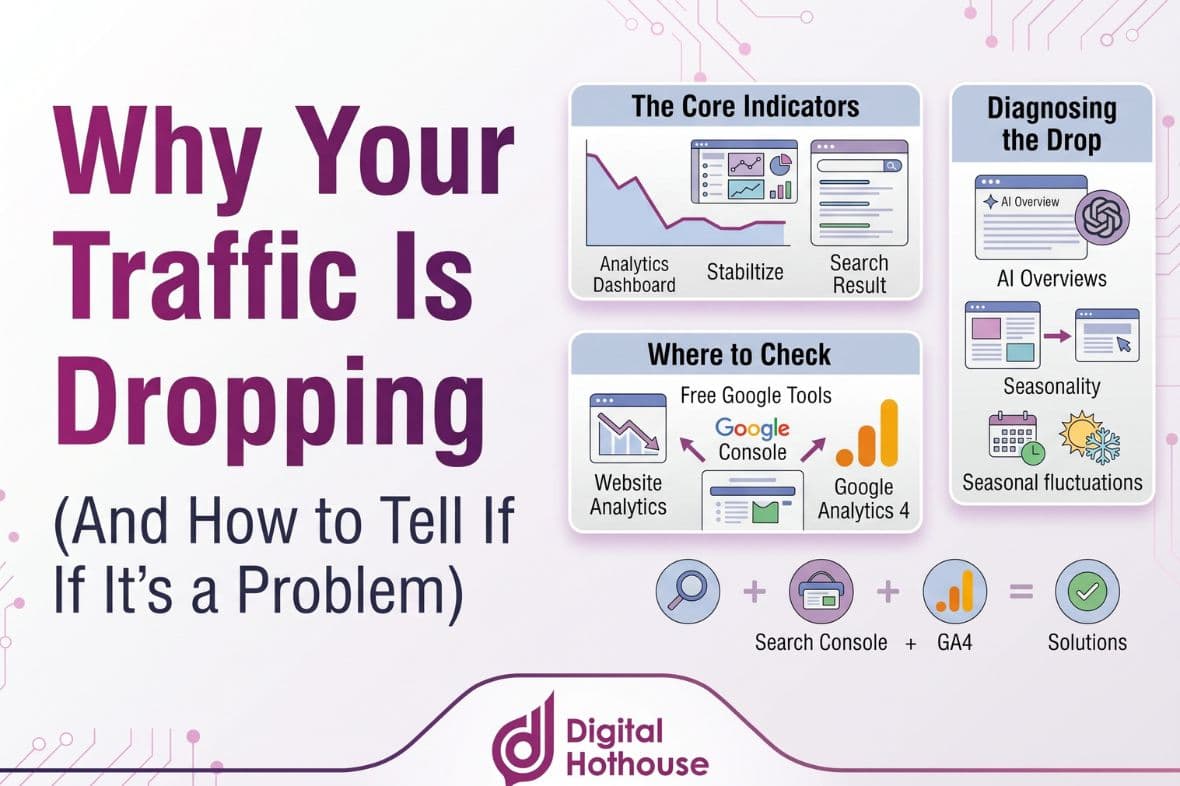
Introduction: A Falling Traffic Line Is a Question, Not a Verdict
Few things in digital marketing cause more instant worry than opening your analytics and seeing the traffic line heading downhill. The natural reaction is to assume something has broken, or that Google has decided it doesn’t like your website any more. If you’ve found yourself asking “why is my website traffic dropping?”, you’re in good company.
Sometimes that’s true. More often, it isn’t. Traffic can fall because of the time of year, because Google changed how it ranks or displays results, because an AI Overview is now answering the question before anyone clicks, or because of a problem with the way the numbers are being collected. Some of those need urgent attention. Others need nothing more than a note in your next report. And a few aren’t real drops at all.
The skill is telling them apart before you act, because the fix for one cause can make another worse.
This guide is the plain-English starting point. It’s the first supporting guide in our Measurement & ROI series, building on How to Measure and Prove SEO ROI When Clicks Are Declining and our BrightonSEO 2026 recap on falling traffic. We’ll cover:
- How to check whether your drop is real, or a quirk of the data
- The most common reasons organic traffic falls
- A step-by-step way to diagnose your own drop using free Google tools
- How to read the pattern and decide whether it’s actually a problem
- What BrightonSEO 2026 told us about falling traffic
- The myths that cause the most unnecessary panic
First, Check the Drop Is Real
Before you look for a cause, make sure there’s something to explain. A surprising number of “traffic drops” turn out to be changes in how the data is collected or reported, not changes in how many people are actually visiting.
Google’s own guide to debugging drops in Search traffic lists a reporting glitch as one of the main causes worth ruling out, and points site owners to the Search Console data anomalies page, where Google records known issues that affect its reports. It’s worth a look, because the past year has been unusually busy:
- Impressions were over-reported for almost a year. In April 2026, Google confirmed that a logging error had prevented Search Console from accurately reporting impressions from 13 May 2025. Once it was fixed, many sites saw reported impressions fall. Google says clicks weren’t affected, only impressions and the metrics calculated from them, such as click-through rate and average position.
- FAQ rich results have gone. Google records that FAQ rich results stopped appearing in Search from 7 May 2026, so any impressions that came from them have disappeared from the reports too.
- Short gaps happen. The same page lists several days in 2026 where logging errors reduced reported clicks or impressions, particularly in the Discover report, without any change in real visits.
Your own analytics can create phantom drops as well. These are the checks we run first:
| What to check | Why it matters |
| Is the analytics tag still on every page? | A website update, new theme or plugin change can quietly remove tracking from some or all pages. |
| Has your cookie banner changed? | If visitors decline analytics cookies, your analytics records fewer of their visits. Google explains how consent mode affects what Google Analytics can measure, and when it can model the gaps. |
| Are you comparing like with like? | A month that includes Christmas, Easter or a long weekend won’t match one that doesn’t. Compare the same period last year where you can. |
| Do Search Console and your analytics agree? | Search Console counts clicks from Google Search. Your analytics counts sessions from every source. If only one of them shows a drop, the problem may be in the measurement, not the traffic. |
If the drop survives these checks, it’s real, and it’s time to find out what’s behind it.
The Most Common Reasons Organic Traffic Drops
In our experience, most genuine traffic drops come down to one of six causes, and each tends to leave a recognisable pattern in the data. Google’s debugging guide groups them in a similar way, and its rough sketches of what each one looks like on a chart are worth a glance.
1. Seasonality and changing demand
Some drops have nothing to do with your website. Fewer people are simply searching. A pool builder will see less interest in winter, a tax accountant after the end of the financial year, and plenty of New Zealand businesses go quiet over the summer holidays. Demand can also shift for good, when a product falls out of fashion or customers start describing a problem in different words.
The giveaway is that the dip lines up with the same period in previous years, or with a fall in interest across the whole market, not just for you.
2. Google algorithm updates
Google changes its ranking systems constantly, and several times a year it makes larger, broad changes it calls core updates. Each confirmed update is listed, with its start date and how long it took to roll out, on the Google Search Status Dashboard. In 2026 so far, it lists two core updates (March and May) and several spam updates, the most recent of which finished on 8 October.
Two points from Google’s own core updates guidance are worth knowing before you panic. First, it says most sites don’t need to worry about core updates and may not even notice one. Second, a drop after an update doesn’t necessarily mean anything is wrong with your content. Google’s comparison is a list of favourite restaurants: when new ones open, some old favourites move down the list without having got any worse.
3. AI Overviews and zero-click search
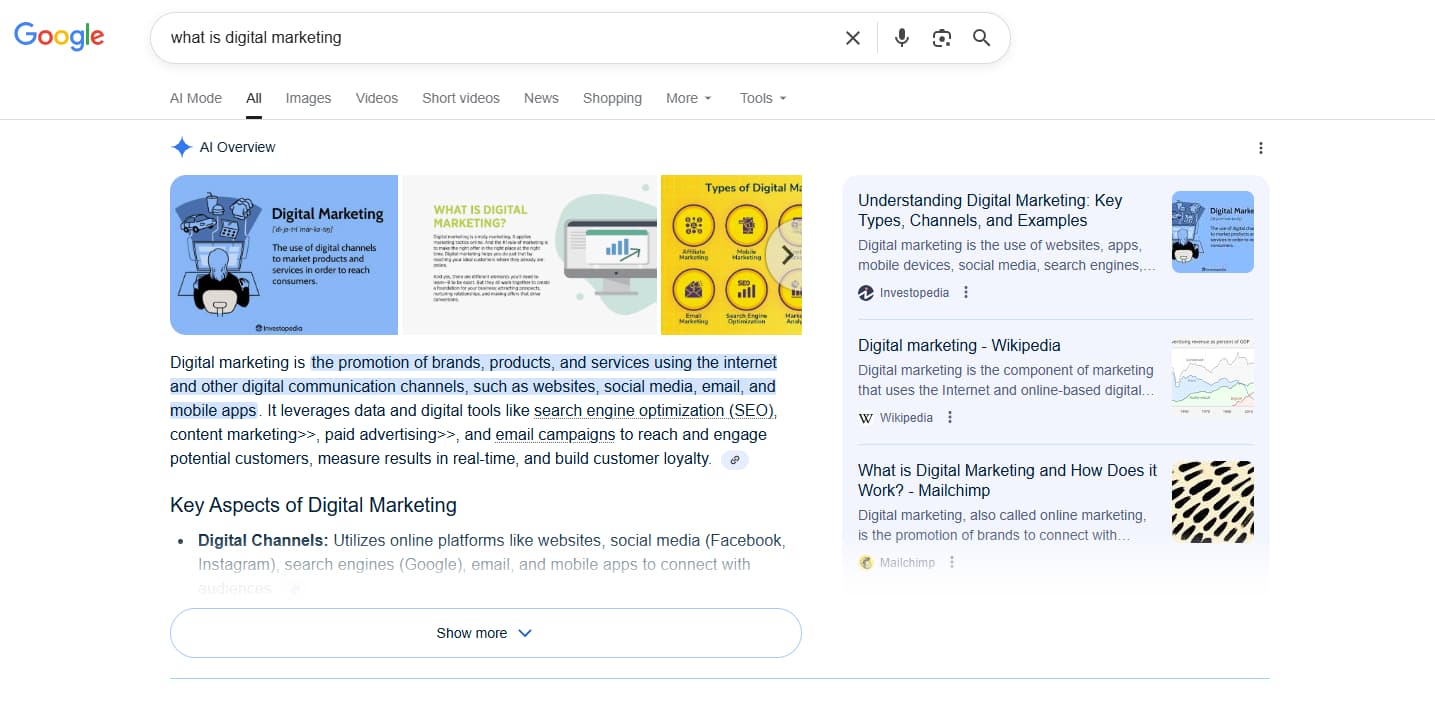
This is the cause behind many of the drops we’re asked about right now. When Google answers a question at the top of the page, in an AI Overview or another search feature, fewer people need to click through to a website, even if your ranking hasn’t changed at all.
Ahrefs’ updated study of 300,000 keywords found that the presence of an AI Overview correlated with a 58% lower click-through rate for the top-ranking page, using data from December 2025. Even keywords without an AI Overview were affected: the average click-through rate for the top result on informational searches roughly halved between December 2023 and December 2025, which Ahrefs links to the long-term growth of features such as featured snippets and local results. These are Ahrefs’ own figures, based on desktop data, so treat them as a guide to the direction of travel rather than a forecast for your site.
The giveaway here is a particular combination: impressions holding steady or even rising, average position holding steady, and clicks falling, usually concentrated on question-style or informational searches.
4. Changes to the results page itself
Google also changes what it shows, not just what it ranks. More ads, a new map pack or the removal of a feature you used to appear in can all reduce clicks overnight. The removal of FAQ rich results in May 2026 is a recent example: a page that used to take up extra space in the results with expandable questions now takes up less.
5. Technical problems
Technical issues can stop Google from crawling, indexing or showing your pages. Common culprits include a website relaunch that changed URLs without proper redirects, a “noindex” instruction left in place after a site went live, a robots.txt file blocking important sections, server downtime or a security problem. Google notes that site-wide issues tend to cause sudden drops, while page-level ones, such as a misplaced noindex tag, can cause a slower slide as Google recrawls the affected pages.
Our Complete Technical SEO Checklist for 2027 covers the full list of things to check.
6. Competition and content that has aged
Sometimes nothing has gone wrong on your side. A competitor has published something more useful, a large national site has started covering your topic, or a page that was the best answer three years ago simply isn’t any more. This usually shows up as a gradual decline in position for a group of pages, rather than a sudden fall.
Less common, but serious
Two other causes are rare for most legitimate businesses but worth ruling out, because they need fixing quickly. If Google detects malware or phishing on your site, it may warn people before they visit. And if it finds practices that breach its spam policies, your pages may rank lower or disappear from the results. Search Console’s Security Issues and Manual Actions reports will tell you if either applies.
How to Diagnose Your Own Traffic Drop in Six Steps
You don’t need paid tools to work out what’s going on. This is the process we follow with clients, built largely on the free tools and guidance Google provides. Most of it happens in the Performance report in Google Search Console, which shows the clicks and impressions your site gets from Google Search.
1. Zoom out to 16 months
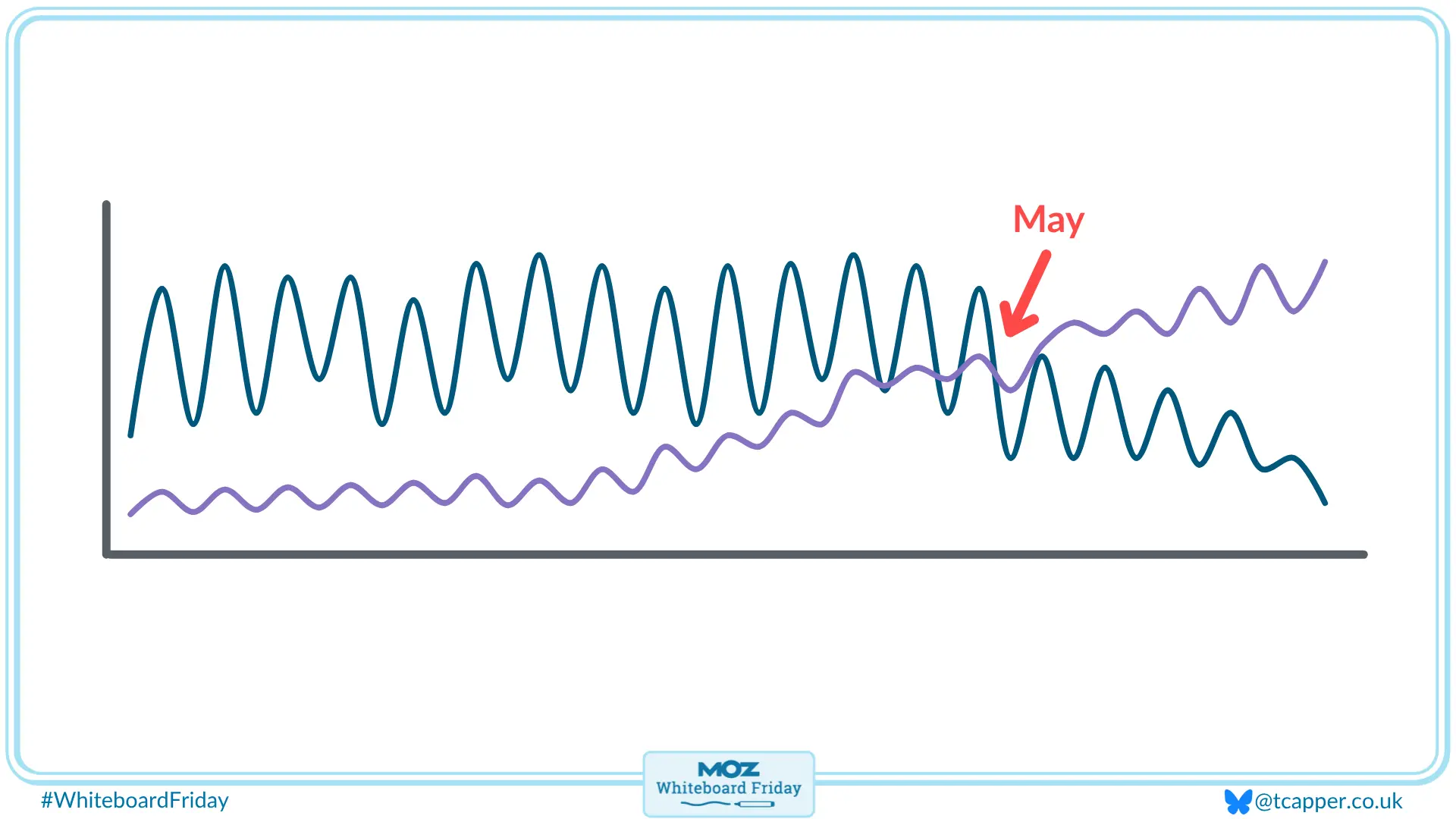
Set the date range to the last 16 months, the longest Search Console allows. Google recommends this view because it shows whether the drop happens every year at the same time. If last year’s line dipped in exactly the same place, you’re almost certainly looking at seasonality.
Then use the Compare option to set the last three months against the same three months a year earlier. Year-on-year comparisons strip out most seasonal effects in a way that “this month versus last month” never can.
2. Read clicks, impressions and position together
Switch on all three lines and look at how they move against each other. The combination tells you far more than any single number:
- Clicks and impressions both falling means you’re appearing less often. Look at seasonality, algorithm updates, technical problems and competition.
- Impressions steady, clicks falling, position steady usually means people are seeing you but not clicking. AI Overviews and other search features are the most likely explanation, although Google also suggests checking whether your page titles and descriptions are as clear and appealing as they could be.
- Position falling sharply across many searches points towards an algorithm update, a technical problem or stronger competition.
3. Find out where the drop is concentrated
Use the Pages, Queries, Devices and Countries tabs in comparison mode, and sort by the difference in clicks. Google’s guide stresses this step: is the drop across the whole site, one group of pages, or one very important page?
We’d add one more cut that has become essential: separate your blog and information pages from your service and product pages. In our experience, many drops sit almost entirely in informational content, which is exactly the content AI Overviews tend to answer, while the pages that bring in enquiries hold steady. That’s a very different conversation from a site-wide decline.
4. Put a date on it
Most drops start on a specific day, and the date often names the cause. Line it up against:
- Google’s confirmed updates on the Search Status Dashboard. If you suspect a core update, Google’s advice is to wait until it has finished rolling out, then wait at least another full week before comparing that week with the week before the update began.
- Your own changes. A new website, a redesign, a hosting move, a plugin or theme update, a new cookie banner or a change to your tracking.
- The data anomalies page, to rule out a reporting issue on Google’s side.
Paul’s take: “If a client calls us about a traffic drop, our first question usually isn’t about Google at all. It’s ‘what changed on your side around that date?’ A new website, a plugin update, a developer leaving a noindex tag in place after launch. More often than people expect, the answer is sitting in the last few weeks of their own change log, and those are usually the quickest drops to fix.”
5. Check the outside world
Take a handful of the searches that lost the most clicks and look them up in Google Trends. If interest has fallen across the whole market, the drop isn’t specific to you. Google suggests this check too, and it’s a quick way to separate “fewer people are searching” from “fewer people are finding us”.
It’s also worth searching for your most important terms yourself. Is there now an AI Overview at the top? Have more ads appeared? Has a new competitor moved into the results? Seeing the page your customers see often explains a drop faster than any report.
6. Check what happened to the business
This is the step most traffic reports skip, and it’s the one that matters most. Look at enquiries, calls, bookings and sales from organic search over the same period. In Google Analytics 4, these are the actions you’ve set up as key events.
If traffic has fallen but enquiries and sales are steady, or rising, the visitors you’ve lost were probably people who were never going to become customers. If enquiries have fallen too, you’ve found a genuine problem. Search Console’s Generative AI performance report, launched in June 2026, can also show how often your pages appeared in AI Overviews and AI Mode, if your site has enough impressions to qualify, which helps show whether lost clicks have been replaced by visibility you weren’t measuring before.
Reading the Pattern: Is It Actually a Problem?
Once you know what the drop looks like and where it sits, you can judge how worried to be. The table below is the quick reference we use. It’s a guide rather than a rule, and many drops have more than one cause at once.
| What you’re seeing | Most likely cause | Is it a problem? | What to do next |
| Traffic dips at the same time every year | Seasonality | Usually not | Compare year on year, and publish and promote seasonal content ahead of the peak |
| Impressions and position steady, clicks falling, mostly on informational searches | AI Overviews and other search features | Not necessarily | Check enquiries and sales, and start tracking AI visibility and branded search alongside clicks |
| A drop in one tool but not the other | Tracking or reporting issue | Not a traffic problem, but a data problem worth fixing | Check your analytics tag, cookie banner and the Search Console data anomalies page |
| A drop that starts during a confirmed Google update | Algorithm update | Depends on the size | Wait a week after the update finishes; avoid drastic changes for small drops, and review content quality for large ones |
| A gradual slide in position for a group of pages | Competition or ageing content | Possibly | Compare your pages with what now ranks above them, and update or improve them |
| A sudden, sharp fall across the whole site | Technical, security or spam issue | Yes, and urgent | Check Search Console’s Page indexing, Security Issues and Manual Actions reports straight away |
| Traffic down, enquiries and sales steady or up | Fewer but better-qualified visitors | Usually not | Report on outcomes, not just sessions |
| Traffic and enquiries both down on service or product pages | A genuine loss of visibility with customers ready to buy | Yes | Diagnose properly and prioritise the pages that bring in revenue |
When to worry, and when not to
A useful rule of thumb is that the closer the drop sits to revenue, the more seriously you should take it. A fall in visits to a three-year-old blog post explaining an industry term is worth noting. A fall in visits to your main service page, alongside fewer enquiries, is worth acting on this week.
It’s equally important not to overreact. Google’s guidance warns against quick-fix changes and recommends avoiding changes to content that’s already performing well when a drop is small. Rewriting pages, deleting content or changing your site structure in a panic can turn a temporary dip into a lasting one.
Paul’s take: “The question I always come back to is simple: is the phone still ringing? If enquiries and sales are holding up while traffic falls, that’s a reporting conversation, not a crisis. If both are falling together, especially on the pages that bring in the work, that’s when we roll our sleeves up and dig in properly.”
If you’re in the first camp, the challenge is explaining a falling traffic line to the people who sign off the budget. Our guide to measuring and proving SEO ROI covers the metrics and reporting that tell the fuller story.
What BrightonSEO 2026 Told Us About Falling Traffic
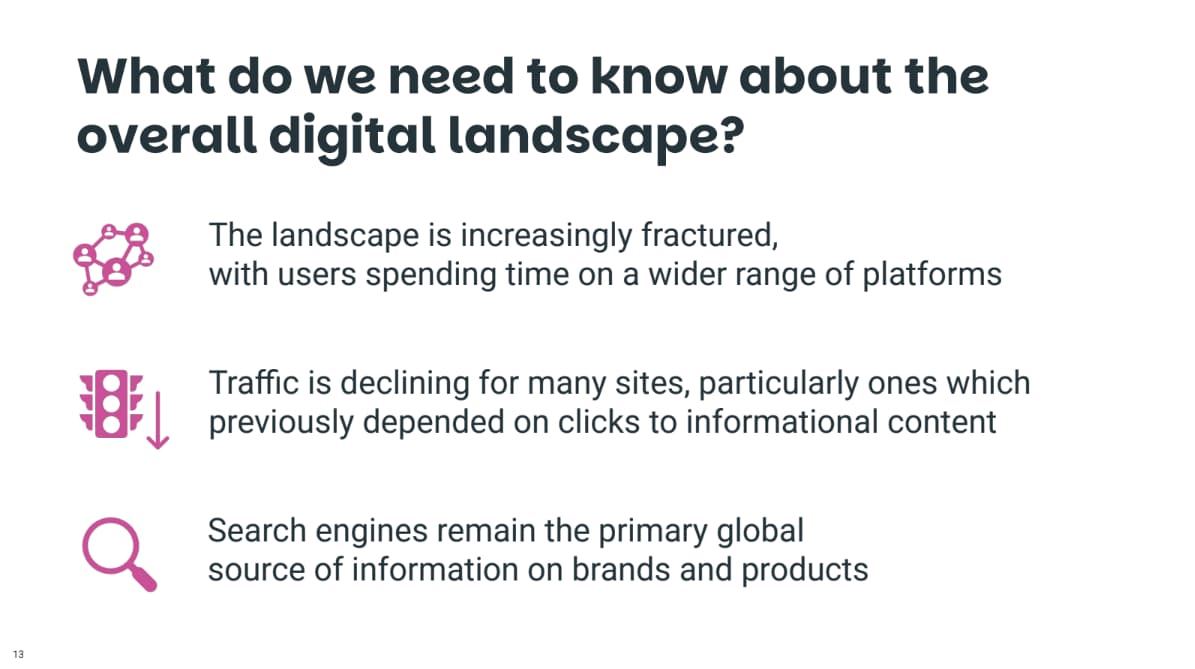
When Paul and I attended BrightonSEO earlier this year, falling traffic came up in session after session, and we covered it in depth in our BrightonSEO recap on falling traffic. Three findings are especially useful if you’re trying to make sense of your own drop:
- A top ranking delivers less than it used to. Tom Capper, presenting research from STAT, shared that 60% of searches are now classified as zero-click, and that the number one position is only visible without scrolling on desktop around 65% of the time.
- AI search rarely sends a click. Jack Lingard opened his session with the figure that 93% of AI-driven searches end without a click, because the answer is resolved inside the AI response itself.
- The panic is often about the report, not the results. In her session “No Clicks? No Problem!”, Laura McInley argued that the worry clients feel about declining traffic is usually a reporting problem rather than a performance problem, and that sessions alone can create a false impression of failure.
Paul attended Laura’s session, and it shaped how we now report falling traffic to clients.
Paul’s take: “What I liked about Laura’s approach is that it doesn’t throw out traffic reporting altogether. It puts it in its proper place. Traffic is one input into a bigger picture, not the whole picture. Clients generally respond really well to this once it’s explained properly, because it actually gives them more confidence, not less.”
The common thread is that a smaller traffic number isn’t automatically a smaller business result. Diagnosing the drop properly is what tells you which one you’re dealing with.
Four Traffic Drop Myths Worth Ignoring
These are the assumptions we hear most often from business owners when traffic falls, and why they shouldn’t drive your next move.
“We must have been penalised.” In our experience, a manual penalty is one of the least likely explanations for a legitimate business, and if Google has taken manual action against your site, it will tell you in Search Console’s Manual Actions report. Seasonality, search features, updates and technical problems are all far more common causes in the drops we’re asked to look at.
“If our rankings haven’t changed, our traffic shouldn’t either.” It can, and increasingly it does. A number one position with an AI Overview above it can earn a fraction of the clicks it used to, as the Ahrefs data above shows. Steady rankings with falling clicks are a sign the results page has changed, not necessarily your performance.
“We need to fix it this week.” Apart from technical, security or spam problems, which do need fixing quickly, the worst response to a drop is usually a rushed one. Google advises waiting until updates have finished and avoiding quick-fix changes. A week spent diagnosing properly will save you months of undoing the wrong changes.
“Less traffic means SEO has stopped working.” Traffic is one measure of SEO, not the whole of it. If your visibility, your enquiries and the number of people searching for you by name are holding up or growing, the work is doing its job, even if the traffic line isn’t.
Where to Go Next in This Series
This post is the starting point for our Measurement & ROI theme. When you’re ready to go further, How to Measure and Prove SEO ROI When Clicks Are Declining is the full guide, covering the metrics that matter beyond rankings, attribution, AI visibility tracking, ROI calculations and reporting. If AI search is your main concern, our beginner’s guide to Generative Engine Optimisation (GEO) explains how to get your business mentioned in AI answers.
Over the coming months, we’ll be publishing more practical guides in the Measurement & ROI series, including:
- Beyond Rankings: The New SEO Metrics That Actually Matter
- How to Track ‘Dark Traffic’ and Brand Impressions From AI Platforms
- Setting Up GA4 and Search Console to Measure What Matters
- Building an SEO Reporting Dashboard Your CEO Will Actually Understand
- Attribution Models Explained: Last Click, First Click, and Multi-Touch
- How to Calculate the ROI of Content Marketing
- How to Present SEO Results to Non-Marketers (Templates Included)
- Setting Realistic SEO KPIs and Targets for the Next 12 Months
- Marketing Budget Planning: How Much Should You Really Spend on SEO?
Follow us on LinkedIn so you never miss a post.
Find Out What Your Traffic Drop Really Means
A falling traffic line deserves attention, but not panic. Check the data is real, put the drop in context, find where it’s concentrated and, above all, look at what happened to your enquiries and sales. Most of the time, that tells you whether you’re dealing with a genuine problem or a search landscape that has simply changed shape.
Book an SEO ROI & Reporting Audit with Digital Hothouse. We’ll look at what’s behind your traffic changes, check that your Google Analytics and Search Console setup is measuring what matters, and show you how your organic search is really performing in terms of enquiries and revenue, not just visits. You’ll come away knowing whether there’s something to fix, and what to fix first.
We’d love to work with you. Let’s chat.